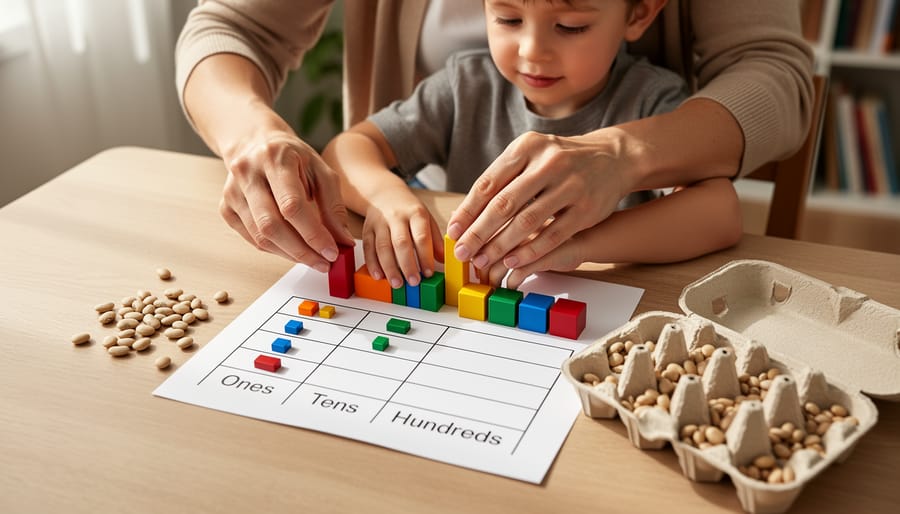
Teaching Textbooks earns our recommendation as a solid, low-stress math curriculum for homeschool families who value independent learning and need a program that won’t require you to teach every single lesson. After using it with multiple kids across different grade levels, we found its gentle spiral approach and step-by-step audiovisual instruction genuinely deliver on the promise of student autonomy, though it may move too slowly for advanced learners or families seeking rigorous preparation for higher mathematics.
If you’re wondering whether this award-winning homeschool math app fits your family, the answer depends on your child’s learning style and your teaching bandwidth. We tested Teaching Textbooks across tablets, laptops, and offline scenarios to see how this digital curriculum performs in real homeschool life. The platform gives kids instant feedback, automated grading, and just-in-time hints when they get stuck, which means you can focus on other subjects or work with younger siblings while your student progresses through lessons independently.
The spiral-approach design introduces new concepts in plain, easy-to-understand language, then circles back to reinforce skills over time. Every problem includes step-by-step audiovisual solutions, and there’s even a free tutor helpline when kids hit genuine roadblocks. For parents figuring out how to start homeschooling, this kind of structure removes a major hurdle: you don’t need to be a math expert to provide a quality math education.
That said, Teaching Textbooks isn’t the right fit for every family. We’ll walk you through who thrives with this curriculum, who should look elsewhere, what you’re actually paying for, and how it stacks up against other popular homeschool math programs. You can try it risk-free with their free trial, which gave us enough time to see whether my kids would actually use it consistently or abandon it after the novelty wore off.
Our Verdict: Teaching Textbooks Gets Math Done with Minimal Drama
After months of using Teaching Textbooks with my own kids, I can confidently say it delivers on its core promise: independent math instruction that actually works without constant parent supervision. The spiral approach gently introduces concepts and circles back to reinforce them, while the audiovisual step-by-step solutions let students unstick themselves when they hit a wall. For busy homeschool parents juggling multiple children or working from home, this curriculum is a genuine sanity-saver.
The automatic grading removes the daily drudgery of checking math work, and the free tutor helpline provides a safety net when neither parent nor program can clarify a concept. We found the offline access genuinely useful for car rides and appointments. That said, this isn’t a one-size-fits-all solution. Students who need rigorous, proof-based instruction or heavy computational practice might find the spiral method too slow. Advanced learners looking to accelerate through multiple grade levels in a year may feel held back by the measured pace.
Teaching Textbooks won’t transform a math-phobic child into a calculus prodigy overnight, but it will get math done each day with far less drama than we experienced with traditional textbooks. For most homeschool families, that’s exactly what they need.

What Teaching Textbooks Actually Offers
Teaching Textbooks is a digital math curriculum built around a spiral approach that introduces and revisits concepts gradually over time. Instead of mastering one topic before moving on, students encounter new ideas in small doses, then circle back repeatedly to reinforce and deepen understanding. This gentle method helps prevent the overwhelm that can happen when kids face too much new material at once.
The program delivers all instruction and practice through an online platform accessible from tablets, computers, and smartphones. You’re not tied to a single device or location, students can work through lessons wherever makes sense for your family’s schedule. The platform includes offline capability, which means downloaded lessons remain available even without an internet connection, a practical feature for families who travel or deal with spotty service.
Core features include:
- Spiral approach that gently introduces and revisits concepts over time
- Access on any device, tablets, computers, phones
- Offline mode for working without internet
- Step-by-step audiovisual solutions for every problem
- Just-in-time hints when students get stuck
- Free tutor helpline for extra help
- Free trial to test before committing
When a student gets stuck on a problem, the program offers just-in-time hints that nudge them toward the solution without simply handing over the answer. If they still can’t work it out, step-by-step audiovisual solutions walk them through the problem with both visual and audio explanation, essentially a mini-lesson tailored to that specific question. This setup means kids can often figure things out independently rather than waiting for a parent to drop everything and explain.
For situations where even the solutions aren’t enough, Teaching Textbooks includes a free tutor helpline. Families can reach out for additional support without paying extra, which provides a safety net when you hit a genuinely confusing concept. The program also offers a free trial so you can test whether the approach works for your family before paying.
Who Teaching Textbooks Is For (and Who Should Look Elsewhere)
Teaching Textbooks shines for busy homeschool families who need math to happen without constant supervision. If you’re juggling multiple children, working from home, or just tired of being the math teacher every single day, this curriculum handles the instruction for you. The audiovisual lessons mean your child clicks play and learns directly from the screen, no parent explanation required.
Students who struggle with traditional textbook learning often thrive here. The combination of clear audio instruction and visual demonstrations hits multiple learning styles at once. My own daughter, who would glaze over reading math explanations in a printed book, suddenly started understanding concepts when she could watch and listen. The just-in-time hints give her enough support to push through without me hovering.
Families with several kids doing math simultaneously will appreciate how TT runs itself. One subscription covers multiple students, and everyone works independently at their own pace. I can have three children doing grade six mathgrade seven curriculum and algebra all at the same time without losing my mind.
- Busy parents who can’t sit through every math lesson
- Visual and auditory learners who need more than a textbook
- Families with multiple children needing independent work
- Students who benefit from spiral review and gentle concept introduction
- Advanced math students who need accelerated or competition-level content
- Families committed to Singapore Math or classical approaches
- Students who prefer written explanations and minimal screen time
- Learners who thrive on challenging, non-repetitive problem sets
That said, Teaching Textbooks won’t be the right fit for every family. If you’re deeply invested in Singapore Math’s bar modeling method or a classical education philosophy, TT’s spiral approach and digital format clash with those frameworks. Advanced students aiming for math competitions may find the pace too gentle and the problems insufficiently challenging. And if your child genuinely prefers reading written instructions and working on paper, forcing them onto a screen-based program creates unnecessary friction. The spiral method’s constant review feels repetitive to some kids who grasp concepts quickly and want to move on.
How We Tested Teaching Textbooks
We tested Teaching Textbooks the way real homeschool families use it: by putting it to work in our own home. Over several months, my kids tackled daily lessons while I observed how the curriculum actually performed in the unpredictable rhythms of homeschool life. This wasn’t a quick demo or a surface-level trial. We dug into the features, tested the limits, and evaluated whether Teaching Textbooks lived up to its promises.
Here’s exactly what our testing process looked like:
- Daily lesson observation: We tracked how long lessons took, how often my kids needed help, and whether they stayed engaged through the audiovisual instruction and problem sets.
- Feature verification: We tested offline access on tablets during car trips, experimented with the hint system to see how helpful it actually was, and checked the automatic grading for accuracy across different problem types.
- Tutor helpline assessment: I contacted the free tutor helpline with a genuine math question to evaluate response time, helpfulness, and whether it truly reduces parent workload.
- Cross-curriculum comparison: We compared Teaching Textbooks directly to other programs we’ve used, Math-U-See, Beast Academy, and Khan Academy, noting differences in teaching style, parent involvement, and student independence.
- Parent workload evaluation: I measured how much time I spent explaining concepts, grading work, or troubleshooting compared to our previous math curriculum.
This hands-on approach gave us a clear picture of where Teaching Textbooks shines and where it falls short. We wanted to know if it genuinely makes math easier for busy homeschool parents or if it’s just marketing hype. The results informed everything you’ll read in this review, from our verdict to the specific strengths and weaknesses we discovered.
Performance: How Teaching Textbooks Works in Real Homeschool Life
The Spiral Approach in Action
Here’s the reality of spiral math in our homeschool: Teaching Textbooks doesn’t throw a whole unit of multiplication at my daughter and expect her to master it in two weeks. Instead, she encounters a few multiplication problems today, some fraction work tomorrow, then back to multiplication with a new wrinkle next week. Research shows that spiral review improves mastery by preventing that dreaded summer brain drain and building genuine retention.
What I’ve watched happen is gradual confidence instead of panic. My son struggled with long division using a mastery-based program where he had to “get it” in one concentrated unit. With Teaching Textbooks, he sees long division every few days over months, each time building on what clicked before. Concepts that once felt insurmountable become familiar friends.
The gentle pace might look slow on paper, but I’ve seen it work when traditional methods failed. It’s less about racing through chapters and more about actually remembering what you learned, which matters more than any curriculum chart. The approach pairs well with other flexible methods like literacy-based planning if you want an integrated homeschool day.
Audiovisual Solutions and the Hint System
When my daughter hit long division and froze, I watched her click the hint button. Instead of handing over the answer, Teaching Textbooks walked her through the first step, “How many times does 7 go into 42?”, then let her try again. That’s the system working as designed.
The audiovisual solutions are Teaching Textbooks’ secret weapon for reducing parent involvement. Every problem includes a narrated, step-by-step video explanation that breaks down the process in plain language. My kids actually watch these when they’re confused instead of calling me over, which has made it much easier to manage homeschooling multiple children simultaneously. The voice is clear and patient, repeating concepts without sounding condescending.
The hint system offers just-in-time nudges rather than full solutions. Students get a strategic clue, often a reminder of the method or a starting step, that points them in the right direction without robbing them of the learning moment. My son uses hints liberally on new concepts, then rarely needs them once he’s grasped the pattern.
The combination genuinely builds independence. Students learn to troubleshoot their own confusion, which matters more than always getting the right answer.
Device Flexibility and Offline Access
We put Teaching Textbooks through its paces on every device we could get our hands on, iPads, Chromebooks, desktop computers, and smartphones, and it worked smoothly across all of them. The interface adjusts nicely to different screen sizes, though we found tablets hit the sweet spot for younger kids doing touch-based input. Switching between devices mid-lesson is seamless; our kids started a lesson on the living room computer and finished it later on a phone during a road trip without losing progress.
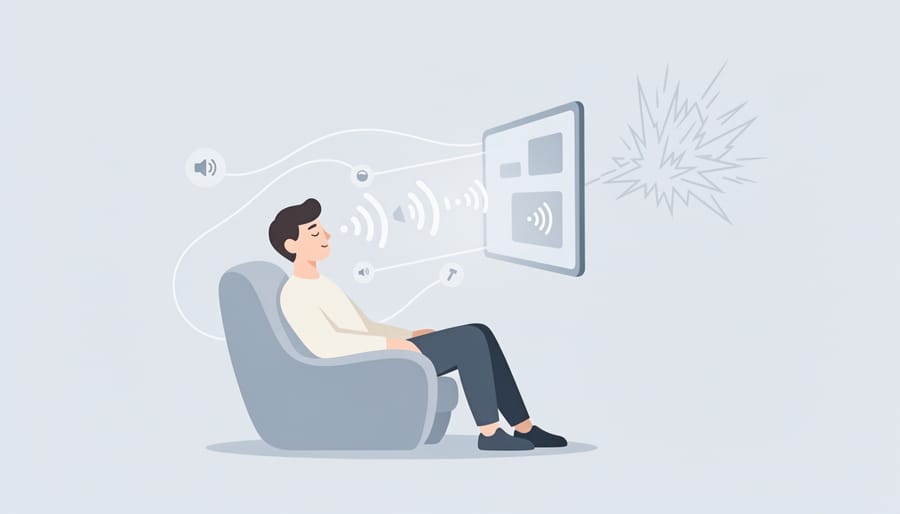
The offline mode deserves real credit. We downloaded lessons before a long car trip and during a week at our cabin with spotty internet, and it genuinely worked. Students can complete their work entirely offline, then sync their progress once they reconnect. The catch: you need to plan ahead and download the content while you have internet. It’s not automatic background downloading, so families who forget this step might hit a snag. But for intentional use, trips, areas with unreliable connections, or just reducing screen-time distractions from other online temptations, it’s a solid feature that actually delivers on the “anytime, anywhere” promise Teaching Textbooks makes.

Pricing and Value for Homeschool Families
Teaching Textbooks positions itself as a premium digital option, and while exact pricing changes periodically, families should check the current rates directly on the Teaching Textbooks website for the most accurate numbers. What you’re paying for is a complete, self-contained math curriculum that includes all instruction, practice, grading, and support, no separate teacher manuals, workbooks, or tutoring fees. When we compare it to other homeschool math programs, Teaching Textbooks falls into the mid-to-upper range for digital curricula but often costs less than hiring a math tutor or buying multiple textbook sets for several children.
The real value becomes clear when you consider what’s included: unlimited access to step-by-step audiovisual solutions for every problem, automatic grading that saves hours each week, offline capability for families on the go, and a free tutor helpline staffed by real people who can help when students hit a wall. That helpline alone has saved us from math meltdowns more than once, it’s like having a backup teacher on call.
For families with multiple children, the value proposition strengthens since many homeschool math programs charge per student. The independent nature of Teaching Textbooks means one subscription can keep multiple kids working at their own pace without requiring you to teach three different math levels simultaneously. When we factor in the time saved on grading and re-teaching, plus the reduction in daily math battles, the investment has paid off in both dollars and sanity. Traditional textbook programs might cost less upfront, but they demand far more parent involvement, which has its own hidden cost in time and energy.
Comparing Teaching Textbooks to Other Homeschool Math Options
We’ve found Teaching Textbooks hits a sweet spot that isn’t for everyone, understanding where it sits among homeschool math options helps you pick what actually matches your family.
If you’re weighing Teaching Textbooks against other popular curricula, here’s what we noticed in real comparison:
Saxon Math requires far more parent involvement. You’re teaching every lesson from the book, grading work by hand, and explaining concepts yourself. Saxon’s incremental approach is thorough but demands time you might not have. Teaching Textbooks flips this, the computer teaches, grades automatically, and provides those audiovisual solutions when your kid gets stuck. We can start breakfast while math happens independently.
Math-U-See uses manipulatives and video instruction, which works beautifully for hands-on learners. But you’re still grading, and the mastery approach (spending weeks on one concept) can frustrate kids who need variety. Teaching Textbooks’ spiral method keeps things moving, revisiting concepts gradually without the intensity.
Khan Academy is free and comprehensive, but there’s no structured curriculum path for homeschoolers, you’re picking and choosing what to assign. The videos are excellent, yet we found our kids needed the built-in structure and automatic grading that Teaching Textbooks provides.
| Curriculum | Parent Workload | Teaching Approach | Device Needs |
|---|---|---|---|
| Teaching Textbooks | Minimal, automated instruction and grading | Spiral with audiovisual lessons | Any device, works offline |
| Saxon Math | High, parent teaches and grades all work | Incremental with daily practice | Print textbooks, no device required |
| Math-U-See | Moderate, parent grades, manipulatives setup | Mastery with video support | DVD player or streaming access |
| Khan Academy | Moderate, parent plans curriculum path | Video lessons with practice | Reliable internet connection required |
The real question isn’t which curriculum is objectively best, it’s which one your family will actually use consistently. We’ve stuck with Teaching Textbooks because our mornings run smoother when math doesn’t require me to sit beside each child explaining problems. That independence matters more than any curriculum’s theoretical superiority.
Frequently Asked Questions About Teaching Textbooks
What grade levels does Teaching Textbooks cover?
Teaching Textbooks offers math courses from elementary grades through high school, covering everything from basic arithmetic through pre-calculus. Families should check the current course catalog for specific grade alignments, as the curriculum is designed to let students progress at their own pace rather than strictly by grade level.
Does Teaching Textbooks work well for struggling math students?
Yes, we found it particularly helpful for kids who struggle with math. The audiovisual step-by-step solutions let students replay explanations until concepts click, and the just-in-time hints offer support without simply handing over answers, building both understanding and confidence.
How much parent help does Teaching Textbooks require?
Very little on a daily basis. Students work independently through lessons, and the automatic grading means you’re not checking work constantly. We mainly stepped in to review progress reports weekly and occasionally helped when our daughter hit a genuinely confusing concept, but the free tutor helpline handled most questions.
Can my child use Teaching Textbooks without internet access?
Yes, Teaching Textbooks works offline once you’ve downloaded the lessons. We tested this on road trips and during a week at our cabin with spotty wifi, lessons loaded fine, though you’ll need to connect periodically to sync progress and download new content.
One question we hear constantly from homeschool friends: can you switch to Teaching Textbooks mid-year if your current math curriculum isn’t working? The answer is yes, and we’ve done it ourselves. The placement tests help you figure out where your child should start, even if that doesn’t match their current grade level. My middle son switched from a workbook program in January, tested into TT 6 instead of TT 7, and caught up beautifully by summer because the spiral approach filled in gaps without making him feel behind. The free trial lets you test-drive a level before committing, which takes the pressure off making a mid-year curriculum change.
Price and value
Teaching Textbooks doesn’t publish a single fixed price, what you’ll pay depends on the subscription level and how many students you’re covering. We found the pricing structure straightforward once you reach their website, and they’ve consistently offered a free trial that lets you test-drive the full program before committing any money. That trial proved essential in our testing, giving us weeks to see whether the audiovisual approach clicked with our kids before deciding.
The real value equation here goes beyond the dollar amount. You’re getting automatic grading that actually works, step-by-step video solutions for every problem, just-in-time hints, offline access across all your devices, and a free tutor helpline when someone gets stuck. For busy homeschool parents, that helpline alone can save hours of frustration. Compare that to traditional textbooks where you’re the sole explainer, grader, and problem-solver, and the subscription starts looking reasonable, especially if you have multiple children who can use it over several years. The time you reclaim for other subjects or just breathing room makes Teaching Textbooks a solid investment for families who need math to run itself.
After months of real use in our own homeschool, we’ve watched Teaching Textbooks transform math time from a daily negotiation into something my kids actually tackle independently. The spiral approach means concepts stick without the tears, the audiovisual solutions let them figure things out without constantly pulling me away from my other teaching, and the automatic grading keeps us moving forward. It’s not a perfect fit for every family, advanced students might outgrow it, and purists committed to classical or Singapore methods will want something different, but for busy homeschool parents juggling multiple kids and subjects, it delivers exactly what it promises.
If you’re on the fence, take advantage of the free trial. Load it on whatever device your child uses, watch them work through a few lessons, and see if the teaching style clicks. You’ll know quickly whether the gentle pacing feels right or frustratingly slow, and whether your student thrives with the audiovisual instruction or needs more personal interaction.
For us, Teaching Textbooks solved the math problem. My mornings are calmer, my kids are learning, and I’m not spending an hour a day reteaching fractions. That’s worth every penny in a homeschool life already stretched thin. If you need math to just work so you can focus your energy elsewhere, this is where I’d start.